Input facts
See the selected file name, size, detected signature, and input source.
A pet package can look correct while malformed JSON, a mismatched image signature, an oversized file, or an unsafe path reference keeps it from working. This browser-based private codex pet validator checks the bytes and text you choose without uploading them.
 LOCAL FIRST
Files stay in this tab. JSON is limited to 2 MB; images and ZIP files are limited to 20 MB.
Choose a supported file or paste JSON, then run the focused check. No sample result is presented as evidence.
The result separates input facts, deterministic checks, and evidence limits.
See the selected file name, size, detected signature, and input source.
Read specific Pass, Warning, or Fail rows for parsing, signatures, size limits, object shape, and suspicious path references.
Keep runtime support, ownership, license scope, executable safety, and product compatibility Unknown until separate evidence exists.
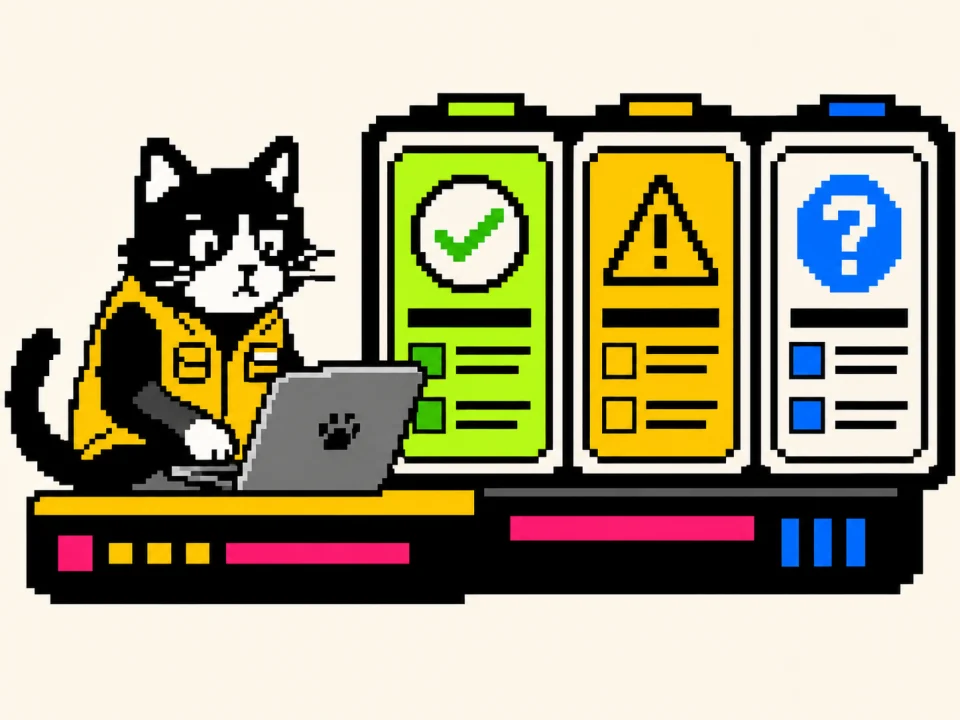
A result should be narrow enough to challenge.
Browser-based private codex pet validator guidance keeps the scope attached to every label.
The displayed local check succeeded for this input; no broader promise is implied.
The input remains reviewable, but ambiguity or a missing profile can affect the next step.
The check names a concrete parse, size, signature, or path problem that should be fixed first.
The browser cannot establish the claim and leaves it visible rather than guessing.
The checker starts with inexpensive local evidence before any installation step.
A maintainer should preserve the original sample, name the selected profile, record the tool version, and attach the observed environment before publishing a correction.

Reject oversized inputs before reading more bytes; size alone cannot prove safety.
Compare initial bytes with family signatures instead of trusting an extension.
Parse without evaluation, require an object root, list keys, and leave profile conformance Unknown.
Flag traversal and absolute notation without opening referenced files.
Choose the follow-up route from the actual result.
A pet validator is a deterministic inspection tool, not a trust badge.
The codex pet validator task still depends on the input type and available rules.
If two checks disagree, prefer the narrower deterministic observation, keep the conflict visible, and avoid extending either result to an untested surface.
Confirm that JSON parses to an object and report its visible top-level keys.
Compare magic bytes with the expected file family and report a misleading extension.
Stop before reading a file that exceeds the documented limit for its class.
Simulated working status; no runtime animation is proved.
Simulated decision status, not a validator severity.
Simulated review status, not a Pass result.
Simulated stop status that this checker cannot set elsewhere.
OpenAI documentation describes Pets across Desktop, Web, and Codex CLI, while the published hatch-pet references define the local two-file manifest and fixed 8×9 atlas.
The codex pet validator keeps documented contract facts, measured bytes, and runtime observations on different evidence tracks.
Accessible status text accompanies color and icons so keyboard users, screen-reader users, and people with reduced motion can understand the same outcome.
| Check | Meaning and limit |
|---|---|
| Desktop | Check the documented local manifest and atlas separately from a dated Desktop refresh-and-selection observation. |
| Web | Local custom pets do not automatically sync. Web Upload pet uses a transparent 1536×1872 PNG or WebP up to 20 MiB when the feature is available. |
| Windows and WSL | Reported path and overlay issues are issue evidence, not universal path rules. Record version and mode before diagnosing. |
| CLI and IDE | Compatible local custom pets can appear in Codex CLI with supported terminal graphics; the IDE extension has no pet picker or floating overlay. |
The working control uses browser File and ArrayBuffer APIs.
The codex pet validator leaves temporary state in the browser until reset, navigation, or tab closure.
Choose one supported file and see its name and size before validation.
Run bounded checks appropriate to the detected bytes and supplied text.
Show every result with severity, evidence, and a limitation.
Download the report only after an explicit click; the original file is never included.
Clear the selected file, pasted text, and in-memory result from the interface.
Keep the untouched source beside any repaired copy.
A codex pet validator result becomes useful when its next action is equally specific.
Keep the original file and note where it came from. Do not overwrite it with a formatted or repaired copy.
Select the file, run the local checks, and read Fail rows before Warning or Unknown rows.
Apply only a deterministic change you understand, save it under a new name, and never add executable content.
Validate the new copy, compare both reports, then use environment-specific installation guidance.
Technical validity, runtime behavior, authorship, permission, integrity, and safety answer different questions.
The codex pet validator makes static evidence useful by keeping its boundary visible.
| Check | Meaning and limit |
|---|---|
| JSON parsed | Valid JSON; contract conformance is checked separately. |
| Object root | Root is an object, not an array or primitive. |
| Signature matched | Initial bytes match the detected family. |
| PNG dimensions | Width and height came from PNG IHDR. |
| ZIP header | ZIP signature exists; entries and extraction remain unchecked. |
| Size bounded | Input stayed within the local memory limit. |
| Path review | Likely file fields lacked obvious traversal or absolute notation. |
| Contract named | The four-field OpenAI local-pet manifest or another explicit profile is named. |
| Runtime tested | Runtime evidence names product, version, environment, date, and outcome. |
| License declared | A supplied license field cannot prove ownership or permission. |
| Checksum supplied | Checksum compares identity, not safety or authorship. |
| Correction route | Outdated records need a visible correction route. |
The checker never infers rights from a file name, visual quality, JSON field, or hash.
The codex pet validator routes rights questions to license and takedown guidance instead of hiding them inside Pass.
The named creator can provide a source record; reuse still follows the stated terms.
Permission covers a named publisher, work, purpose, territory, and duration.
A referenced property may require separate permission even when the package is structurally valid.
Origin or reuse permission is not documented and must remain unresolved.
These answers describe the current browser implementation.
No. This implementation reads the selected file in the current browser tab and has no upload request.
No. Pass applies only to the named deterministic check.
The checker reviews bounded central-directory metadata, entry paths, sizes, ratios, and risky file types, but deliberately does not decompress untrusted entries. File contents and manifest-to-asset agreement remain Unknown.
It identifies parse errors and can export a report. It does not rewrite the source automatically because profile-specific repairs require explicit rules.
The published local custom-pet contract documents id, displayName, description, and spritesheetPath, with spritesheetPath set to spritesheet.webp. Other package profiles still need their own named rules.
No. It can flag obvious absolute or traversal notation in likely file fields, but active product paths require environment-specific evidence.
The checker can confirm a PNG signature and read dimensions. Row mapping, frame count, animation meaning, and product support remain Unknown without a profile.
Preserve the original, fix one deterministic issue in a copy, rerun the check, and follow the relevant format or troubleshooting guide.
Each destination handles a different search intent and uses that page's primary keyword as anchor text.
The codex pet validator uses internal links as next actions rather than decorative keyword lists.
Return to the first control, choose the original file, and review every Fail, Warning, and Unknown row before making a copy.
The codex pet validator works best when a specific answer carries an equally specific limit.