Animation preview
月薪喵Codex pet
Cat
View characterA pet directory fails when it blurs Codex Pets profiles, creator context, and evidence boundaries. Filter open-source pets, inspect the recorded complete atlas, and continue at the Codex Pets when you need files or installation instructions. Start with the local, reversible action described by this independent codex pets gallery guide; its evidence boundary remains visible.
 LOCAL TOOL
Search the full Codex Pets character collection by name, species, or role.
Cat
View characterPerson
View characterCreature
View characterCreature
View characterPerson
View characterCreature
View characterCreature
View characterPerson
View characterPerson
View characterPerson
View characterCreature
View characterAnimal
View characterPet
View characterPerson
View characterCreature
View characterPerson
View characterPerson
View characterAnimal
View characterPerson
View characterPerson
View characterPet
View characterCreature
View characterPerson
View characterCreature
View characterPet
View characterObject
View characterPerson
View characterPerson
View characterPerson
View characterPet
View characterPet
View characterPerson
View characterObject
View characterPet
View characterPerson
View characterPet
View characterPet
View characterPerson
View characterPerson
View characterPet
View characterPerson
View characterPerson
View characterPerson
View characterPet
View characterPet
View characterPerson
View characterCreature
View characterAnimal
View characterCreature
View characterPerson
View characterCreature
View characterCreature
View characterCreature
View characterPerson
View characterPerson
View characterPerson
View characterCreature
View characterPerson
View characterAnimal
View characterPet
View characterPerson
View characterCreature
View characterPerson
View characterPerson
View characterObject
View characterPerson
View characterObject
View characterPerson
View characterPet
View characterPerson
View characterPerson
View characterAnimal
View characterPerson
View characterPerson
View characterPet
View characterPet
View characterPet
View characterPerson
View characterPerson
View characterCreature
View characterPerson
View characterCreature
View characterPet
View characterObject
View characterPerson
View characterPerson
View characterCreature
View characterAnimal
View characterPerson
View characterPerson
View characterAnimal
View characterPerson
View characterPerson
View characterAnimal
View characterPerson
View characterAnimal
View characterPerson
View characterObject
View characterPerson
View characterCreature
View characterObject
View characterCreature
View character山海经
View characterPet
View characterPerson
View characterObject
View characterPerson
View characterPerson
View characterPet
View characterAnimal
View characterObject
View characterAnimal
View characterPet
View characterAnimal
View characterAnimal
View characterAnimal
View characterPerson
View characterPerson
View characterPerson
View characterPerson
View characterAnimal
View characterPet
View characterPerson
View characterPet
View characterAnimal
View characterPerson
View characterCreature
View characterCreature
View characterPerson
View characterPerson
View characterAnimal
View characterAnimal
View characterPerson
View characterCreature
View characterCreature
View characterPerson
View characterCreature
View characterPerson
View characterCreature
View characterPerson
View characterPerson
View characterCreature
View characterAnimal
View characterCreature
View characterPerson
View characterAnimal
View characterPerson
View characterPet
View characterPerson
View characterPerson
View characterCreature
View characterPerson
View characterAnimal
View characterPerson
View characterPet
View characterAnimal
View characterObject
View characterObject
View characterCreature
View characterCreature
View characterPet
View characterCreature
View characterObject
View characterAnimal
View characterPerson
View characterAnimal
View characterPerson
View characterPerson
View characterPet
View characterAnimal
View characterAnimal
View characterAnimal
View characterPerson
View characterPerson
View characterPerson
View characterCreature
View characterAnimal
View characterObject
View characterPet
View characterPet
View characterAnimal
View characterAnimal
View characterPerson
View characterAnimal
View characterCreature
View characterCreature
View characterAnimal
View characterAnimal
View characterPerson
View characterAnimal
View characterAnimal
View characterAnimal
View characterAnimal
View characterObject
View characterPet
View characterPerson
View characterPerson
View characterPet
View characterPet
View characterPet
View characterPet
View characterCreature
View characterDog
View characterPerson
View characterCreature
View characterAnimal
View characterAnimal
View characterObject
View characterPet
View characterCreature
View characterPerson
View characterAnimal
View characterAnimal
View characterObject
View characterPet
View characterPerson
View characterPet
View characterCreature
View characterCreature
View characterPerson
View characterPerson
View characterAnimal
View characterObject
View characterPet
View characterObject
View characterAnimal
View characterAnimal
View characterPet
View characterPerson
View characterObject
View characterAnimal
View characterObject
View characterPerson
View characterPerson
View characterCreature
View characterPerson
View characterObject
View characterObject
View characterAnimal
View characterObject
View characterObject
View characterPerson
View characterAnimal
View characterPet
View characterPerson
View characterPet
View characterCreature
View characterAnimal
View characterObject
View characterPerson
View characterAnimal
View characterObject
View characterPerson
View characterObject
View characterAnimal
View characterPerson
View characterPerson
View characterCreature
View characterPet
View characterAnimal
View characterCreature
View characterPerson
View characterObject
View characterCreature
View characterPet
View characterCreature
View characterCreature
View characterCreature
View characterObject
View characterAnimal
View characterCreature
View characterPerson
View characterAnimal
View characterPerson
View characterPerson
View characterObject
View characterAnimal
View characterPerson
View characterPerson
View characterObject
View characterPerson
View characterAnimal
View characterPerson
View characterObject
View characterAnimal
View characterPerson
View characterPerson
View characterAnimal
View characterPerson
View characterObject
View characterPerson
View characterPerson
View characterObject
View characterPerson
View characterAnimal
View characterPet
View characterObject
View characterAnimal
View characterPerson
View characterCreature
View characterAnimal
View characterCreature
View characterAnimal
View characterAnimal
View characterPerson
View characterPet
View characterPerson
View characterObject
View characterPerson
View characterCreature
View characterPerson
View characterCreature
View characterPerson
View characterCreature
View characterAnimal
View characterAnimal
View characterPerson
View characterAnimal
View characterPerson
View characterObject
View characterAnimal
View characterObject
View characterPerson
View characterPerson
View characterCreature
View characterPet
View characterAnimal
View characterPerson
View characterAnimal
View characterObject
View characterPerson
View characterPerson
View characterPerson
View characterObject
View characterPet
View characterAnimal
View characterPet
View characterPerson
View characterObject
View characterCreature
View characterPerson
View characterPet
View characterPet
View characterPerson
View characterAnimal
View characterPerson
View characterCreature
View characterAnimal
View characterCreature
View characterCreature
View characterObject
View characterPerson
View characterPerson
View characterCreature
View characterCreature
View characterAnimal
View characterPerson
View characterPerson
View characterAnimal
View characterCreature
View characterCreature
View characterPerson
View characterCreature
View characterPerson
View characterPerson
View characterPerson
View characterPerson
View characterObject
View characterPerson
View characterAnimal
View characterCreature
View characterPerson
View characterObject
View characterAnimal
View characterPerson
View characterObject
View characterAnimal
View characterCreature
View characterCreature
View characterAnimal
View characterPerson
View characterCreature
View characterAnimal
View characterAnimal
View characterAnimal
View characterPerson
View characterAnimal
View characterCreature
View characterAnimal
View characterPerson
View characterPerson
View characterPerson
View characterAnimal
View characterAnimal
View characterPet
View characterPet
View characterPerson
View characterPerson
View characterAnimal
View characterPerson
View characterAnimal
View characterCreature
View characterPet
View characterAnimal
View characterPerson
View characterCreature
View characterAnimal
View characterObject
View characterObject
View characterPerson
View characterPerson
View characterPet
View characterObject
View characterAnimal
View characterObject
View characterPerson
View characterAnimal
View characterObject
View characterAnimal
View characterAnimal
View characterPerson
View characterAnimal
View characterAnimal
View characterPerson
View characterObject
View characterObject
View characterObject
View characterAnimal
View characterPerson
View characterObject
View characterPerson
View characterPerson
View characterAnimal
View characterAnimal
View characterAnimal
View characterPerson
View characterPerson
View characterPerson
View characterCreature
View characterPerson
View characterAnimal
View characterPerson
View characterPerson
View characterAnimal
View characterAnimal
View characterPerson
View characterPerson
View characterObject
View characterAnimal
View characterPerson
View characterObject
View characterCreature
View characterAnimal
View characterObject
View characterObject
View characterAnimal
View characterCreature
View characterObject
View characterObject
View characterObject
View characterObject
View characterCreature
View characterPerson
View characterCreature
View characterCreature
View characterPerson
View characterCreature
View characterAnimal
View characterPerson
View characterCreature
View characterCreature
View characterCreature
View characterCreature
View characterObject
View characterCreature
View characterAnimal
View characterPerson
View characterPerson
View characterAnimal
View characterPerson
View characterPerson
View characterPerson
View characterCreature
View characterAnimal
View characterAnimal
View characterPerson
View characterAnimal
View characterPet
View characterPerson
View characterAnimal
View characterPerson
View characterAnimal
View characterPerson
View characterCreature
View characterObject
View characterObject
View characterPerson
View characterPerson
View characterPerson
View characterPerson
View characterCreature
View characterObject
View characterAnimal
View characterCreature
View characterPerson
View characterPerson
View characterAnimal
View characterPerson
View characterPerson
View characterPerson
View characterPerson
View characterObject
View characterCreature
View characterObject
View characterAnimal
View characterCreature
View characterPerson
View characterAnimal
View characterCreature
View characterPerson
View characterPerson
View characterCreature
View characterPerson
View characterCreature
View characterAnimal
View characterCreature
View characterPerson
View characterObject
View characterPerson
View characterAnimal
View characterPerson
View characterPerson
View characterPerson
View characterAnimal
View characterPerson
View characterAnimal
View characterAnimal
View characterPerson
View characterCreature
View characterCreature
View characterAnimal
View characterCreature
View characterAnimal
View characterPerson
View characterObject
View characterPerson
View characterObject
View characterAnimal
View characterCreature
View characterPerson
View characterObject
View characterAnimal
View characterPerson
View characterPerson
View characterCreature
View characterAnimal
View characterObject
View characterAnimal
View characterObject
View characterAnimal
View characterPerson
View characterCreature
View characterPerson
View characterCreature
View characterCreature
View characterPerson
View characterAnimal
View characterPerson
View characterCreature
View characterObject
View characterAnimal
View characterCreature
View characterAnimal
View characterCreature
View characterCreature
View characterAnimal
View characterCreature
View characterPerson
View characterPerson
View characterAnimal
View characterCreature
View characterObject
View characterObject
View characterPerson
View characterObject
View characterCreature
View characterAnimal
View characterAnimal
View characterPerson
View characterPerson
View characterObject
View characterObject
View characterCreature
View characterPerson
View characterCreature
View characterAnimal
View characterAnimal
View characterObject
View characterCreature
View characterAnimal
View characterCreature
View characterObject
View characterPerson
View characterCreature
View characterAnimal
View characterObject
View characterPerson
View characterPerson
View characterPerson
View characterPerson
View characterPerson
View characterPerson
View characterPerson
View characterAnimal
View characterAnimal
View characterCreature
View characterPerson
View characterPerson
View characterPerson
View characterCreature
View characterAnimal
View characterAnimal
View characterObject
View characterAnimal
View characterAnimal
View characterAnimal
View characterObject
View characterPerson
View characterPerson
View characterPerson
View characterCreature
View characterAnimal
View characterPerson
View characterPerson
View characterPerson
View characterPerson
View characterCreature
View characterPerson
View characterCreature
View characterPerson
View characterAnimal
View characterCreature
View characterPerson
View characterAnimal
View characterAnimal
View characterCreature
View characterObject
View characterPerson
View characterPerson
View characterPerson
View characterCreature
View characterCreature
View characterObject
View characterAnimal
View characterPerson
View characterCreature
View characterObject
View characterCreature
View characterAnimal
View characterAnimal
View characterAnimal
View characterPerson
View characterPerson
View characterCreature
View characterPerson
View characterPerson
View characterAnimal
View characterAnimal
View characterPerson
View characterCreature
View characterPerson
View characterAnimal
View characterObject
View characterPerson
View characterPerson
View characterPerson
View characterCreature
View characterObject
View characterObject
View characterAnimal
View characterObject
View characterAnimal
View characterAnimal
View characterAnimal
View characterPerson
View characterPerson
View characterCreature
View characterAnimal
View characterPerson
View characterCreature
View characterPerson
View characterObject
View characterPerson
View characterPerson
View characterAnimal
View characterCreature
View characterPerson
View characterPerson
View characterAnimal
View characterCreature
View characterPerson
View characterCreature
View characterPerson
View characterCreature
View characterCreature
View characterAnimal
View characterCreature
View characterObject
View characterObject
View characterCreature
View characterCreature
View characterPerson
View characterPerson
View characterPerson
View characterCreature
View characterAnimal
View characterPerson
View characterAnimal
View characterCreature
View characterPerson
View characterAnimal
View characterPerson
View characterObject
View characterAnimal
View characterAnimal
View characterObject
View characterPerson
View characterAnimal
View characterObject
View characterObject
View characterCreature
View characterPerson
View characterPerson
View characterPet
View characterObject
View characterAnimal
View characterAnimal
View characterPerson
View characterObject
View characterAnimal
View characterAnimal
View characterPerson
View characterAnimal
View characterCreature
View characterCreature
View characterPerson
View characterCreature
View characterPerson
View characterPerson
View characterPerson
View characterAnimal
View characterPerson
View characterAnimal
View characterObject
View characterCreature
View characterPerson
View characterPerson
View characterPerson
View characterPerson
View characterPerson
View characterPerson
View characterCreature
View characterObject
View characterCreature
View characterPerson
View characterPerson
View characterCreature
View characterObject
View characterCreature
View characterObject
View characterPerson
View characterPerson
View characterObject
View characterAnimal
View characterCreature
View characterPerson
View characterObject
View characterCreature
View characterPerson
View characterAnimal
View characterObject
View characterPerson
View characterAnimal
View characterAnimal
View characterPerson
View characterObject
View characterCreature
View characterObject
View characterPerson
View characterPerson
View characterPerson
View characterAnimal
View characterPerson
View characterPerson
View characterPerson
View characterPerson
View characterObject
View characterObject
View characterObject
View characterPerson
View characterObject
View characterCreature
View characterPerson
View characterAnimal
View characterObject
View characterAnimal
View characterPerson
View characterPerson
View characterAnimal
View characterPerson
View characterObject
View characterCreature
View characterPerson
View characterPerson
View characterAnimal
View characterAnimal
View characterAnimal
View characterPerson
View characterPerson
View characterPerson
View characterObject
View characterPerson
View characterAnimal
View characterPerson
View characterPerson
View characterObject
View characterPerson
View characterPerson
View characterPerson
View characterCreature
View characterPerson
View characterPerson
View characterThis tool handles one page decision, keeps processing local, and exposes evidence limits, next links, and corrections.
Narrow names, roles, profile sites, categories, and evidence in this tab.
Codex Pets does not host a local package, checksum, license, or installer for these records.
Filter state never creates indexable query pages.
Each record uses its recorded complete spritesheet.
This independent Codex pets gallery guide keeps all current and future pet details noindex and outside the XML sitemap. Before anyone acts, keep that boundary in plain view.

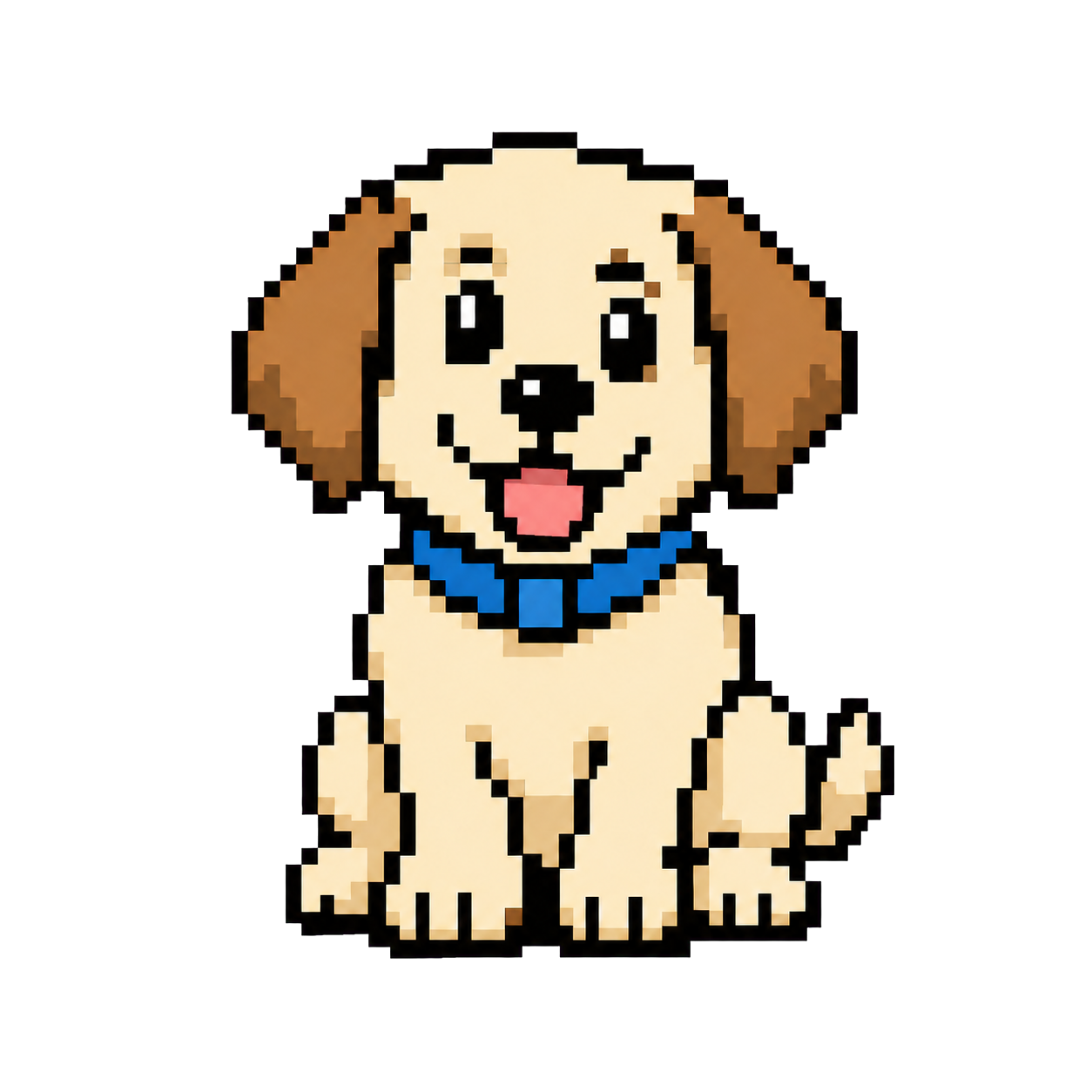

Each record preserves its original profile pages, creator context, and observed public evidence.
No fabricated downloads, ratings, favorites, or trends appear.
The directory does not present external files as Codex Pets downloads or licenses.
Preview frames use the complete spritesheet recorded for each open-source pet.
Every character detail stays noindex and outside the XML sitemap.
Filter open-source pets, inspect the recorded complete atlas, and continue at the Codex Pets when you need files or installation instructions. Keep local facts separate from cited guidance, named profiles, dated observations, and external-file availability and product compatibility.
Repeat the same check with the same visible input and compare the results.
Cite the first-party profile and date behind a open-source pet record.
Name the non-official profile, version, and publisher.
Active work; not verification of open-source pet record.
A request for attention; not evidence about external-file availability and product compatibility.
An activity state; not installation or rights confirmation.
Interrupted open-source pet directory; not resource rejection.
Desktop, Web, CLI, and IDE create different evidence needs for this open-source pet directory. Product facts below were checked on 2026-07-26.
Name the intended product and environment before relying on a result.
| Context | Evidence and limitation |
|---|---|
| Desktop | Check current product documentation and Codex Pets instructions before making a local change. |
| Web | Account availability and the Codex Pets's file terms must be reviewed separately. |
| CLI and terminal | An Codex Pets command does not establish support in every terminal, multiplexer, or graphics protocol. |
| IDE | Current official guidance says the Codex IDE extension does not provide a pet picker or floating pet overlay. |
This local directory control creates a open-source pet record without changing browser history or resolving the external-file availability and product compatibility.
Supply only the needed species, role, category, and profile filters.
Create the open-source pet record in this tab.
Compare the result with its stated limitation.
Open the matching evidence route.
Clear local input without changing history.
Preserve the original input and current environment before changing a file, setting, or install state. Make one observable change at a time and record the result before continuing.
Keep diagnosis, implementation, verification, and correction as separate stages.
Search a species, mood, or working role.
Review the profile sites, character context, and recorded atlas.
Confirm creator context and the Codex Pets boundary.
Use Codex Pets files or instructions only after reviewing their terms.
Useful evidence names the claim, resource, version, method, date, result, and limitation.
| Context | Evidence and limitation |
|---|---|
| Stable identity | Keep the normalized slug and recorded profile links together. |
| Usable preview | Render the recorded profile atlas without mirroring it locally. |
| profile and rights | Keep origin and applicable terms visible. |
| Evidence date | Record the research date and public metrics without endorsement claims. |
| Compatibility boundary | Do not infer local-install or product compatibility from a listing. |
| External action | Follow the Codex Pets for files, commands, and runtime instructions. |
| profile category | Label official, community, test, report, or Unknown. |
| Checked date | Date time-sensitive evidence. |
| Version | Record affected product and resource versions. |
| Limitation | Name what remains unproven. |
| Correction route | Keep a path for evidence challenges. |
| Privacy review | Remove secrets, personal data, and private paths. |
Official facts, community profiles, tests, and unknown claims stay separate.
This evidence track cites the strongest profile and leaves missing facts visible.
Use current first-party Pets guidance for product behavior and workflow facts.
Read current sourceName the non-official format profile, version, and checked date.
codex pet formatRecord a reproducible environment, method, outcome, and limitation.
codex pet compatibilityRoute missing, stale, or contested evidence to verification and contact.
contact codex petsThese visible answers describe current behavior and limits; no FAQ structured data or search appearance is promised.
Codex Pets does not host pet downloads. Each open-source record points to its recorded Codex Pets context instead.
No. Search and filter state remains local and non-indexable.
No. Character detail routes remain noindex under the permanent site policy, even if their evidence record improves.
No. A open-source record implies no OpenAI authorship or endorsement.
No. Your input stays in local browser state while this page creates the open-source pet record.
No. This independent open-source pet directory cites first-party documentation only for the specific product facts it describes.
Unknown means the available evidence is not sufficient to support a conclusion for the current context.
Recheck the open-source pet record after its product, environment, profile, permission, or review method changes.
Every link reaches a real P0 route with descriptive anchor text and a matching intent.
Return to the first control, add only the species, role, category, and profile filters, and compare the open-source pet record with its limit.